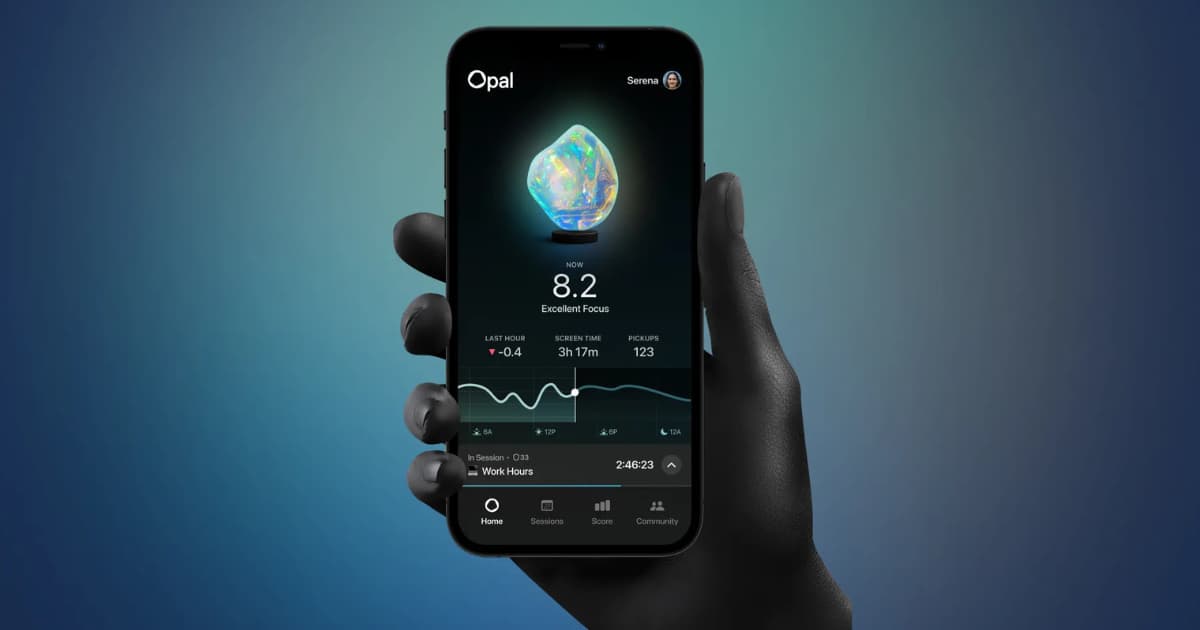
Opal is one of the most visible screen time assistants on iOS. With its sleek interface, daily Focus Scores, and community features, it has helped many users track their digital habits.
However, many people look for alternatives due to subscription pricing, complex menus, or the need for a more direct, friction-based blocking mechanism.
If you are looking for a reliable Opal alternative to lock down social media and protect your focus hours, here is how the top options stack up.
Why Look for an Opal Alternative?
While Opal offers a polished experience, users often switch for three main reasons:
- The Opal App Cost: A primary factor driving users to alternatives is the subscription price. Opal Pro typically costs $19.99 per month or $99.99 per year (with a lifetime purchase around $399.99). While a free tier exists, it limits you to a single recurring schedule, which can feel restrictive if you need different rules for work and study.
- Feature Overload: For users who simply want to set a timer and lock their apps, gamified leaderboards and detailed dashboards can feel like unnecessary complexity.
- Bypass Vulnerabilities: If you struggle with strong impulsive phone checking, you might need strict, cognitive friction (like math puzzles) rather than gamified scores to stop overrides.
Quick Comparison: Best Alternatives to Opal
| App | Primary Focus | Best For | Free Tier Available? |
|---|---|---|---|
| Otis | Strict friction modes & scheduled blocks | Bypass-proof app blocking | Yes |
| One Sec | Mindful pauses before app launch | Habit awareness | Yes |
| ScreenZen | Open-count limits and interval pauses | Budget customizability | Yes |
| Forest | Gamified plant growth timer | Visual motivation | Paid upfront on iOS |
| Flora | Study timer with habit streaks | Free visual focus | Yes |
| Freedom | Cross-platform multi-device blocking | Desktop + mobile setups | Free trial |
1. Otis (Best for Strict, Bypass-Proof App Blocking)
Full disclosure: We developed Otis. We built it specifically to provide a clean, privacy-first alternative focused entirely on effective app restriction without unnecessary complexity.
Otis uses Apple's official Screen Time API (FamilyControls) to lock distracting applications on your iPhone during focus sessions. Instead of relying on passive focus scores, Otis uses progressive friction to prevent impulsive session cancellation.
Key Features:
- Customizable Friction Levels: Choose between Soft mode, Medium mode (a 10-second button hold), or Hard mode (solving a mental math puzzle before ending a block early).
- Automated Schedules: Set recurring focus windows for work hours, study blocks, or bedtime.
- Lightweight & Private: Operates locally on your device with no social feeds, tracking, or account bloat.
Pro-tip: For total coverage against browser scrolling, pair Otis with Apple's native Safari settings to restrict domains like instagram.com or tiktok.com.
Best for: Anyone who wants a streamlined, strict app blocker without paying for high-tier subscriptions.
2. One Sec (Best for Habit Awareness)
If your goal is to understand your triggers rather than locking apps completely, One Sec provides a mindful intervention.
When you tap an app like Instagram or TikTok, One Sec intercepts the launch and displays a breathing exercise that lasts several seconds, forcing you to confirm whether you truly want to proceed.
Key Features:
- Exercises that break the muscle memory of automatic tapping.
- Statistics on daily prevented app opens.
- Configurable delays and cooldown periods.
Best for: Users who open social media purely out of habit and want gentle behavioral redirection.
3. ScreenZen (Best Free Customizer)
ScreenZen is a flexible option for users who want granular control over their screen time without recurring subscription costs.
It allows you to set daily open limits alongside session duration caps, helping you reduce the frequency of app launches throughout the day.
Key Features:
- Generous free functionality without invasive tracking.
- Set maximum daily open counts (e.g., allow opening an app only 3 times per day).
- Strict settings lock to prevent tampering during active hours.
Best for: Budget-conscious users looking for a free alternative with detailed customizable rules.
4. Forest (Best for Visual Gamification)
If you enjoy the visual tracking of Opal but want a more tactile, game-like experience, Forest turns productive hours into a growing virtual forest.
Starting a focus timer plants a seed on your screen. If you leave the app to check messages, your tree withers. Completing sessions earns virtual currency that can help plant real trees.
Key Features:
- Engaging visual reward system for completed focus blocks.
- Shared study rooms with friends and classmates.
- Low one-time upfront purchase price on iOS instead of a monthly subscription.
Best for: Students who respond well to positive reinforcement and visual streaks.
5. Flora (Best Free Alternative to Forest)
Flora offers a similar tree-planting focus timer to Forest, providing a clean set of core features at no cost.
In addition to group study sessions, Flora includes an optional accountability mode where you can pledge money that is forfeited if you exit the focus session early.
Key Features:
- Free visual plant-growing timer.
- Shared focus challenges with peers.
- Optional financial stakes for strict accountability.
Best for: Anyone looking for a free gamified focus timer.
6. Freedom (Best for Multi-Device Blocking)
If your distraction habit extends beyond your phone to your computer or tablet, Freedom provides synchronized blocking across multiple platforms.
It allows you to lock down apps and websites simultaneously across iOS, macOS, Windows, and Android.
Key Features:
- Unified sessions that block distractions across desktop and mobile.
- Locked Mode to prevent disabling sessions from any connected device.
- Pre-scheduled recurring sessions.
Best for: Professionals who work across laptops and phones throughout the day.
Frequently Asked Questions (FAQ)
What is the average Opal app cost?
The Opal app cost is typically $19.99 per month or $99.99 per year for Opal Pro, with an optional lifetime purchase around $399.99. A limited free version is available for basic single-schedule use.
Is there a completely free alternative to Opal?
Yes. Apple's built-in Screen Time is free on all iOS devices. Additionally, apps like ScreenZen and Flora provide robust free tools for managing app usage and timers, while Otis offers a straightforward free entry point for strict app blocking.
How do I stop overriding my focus blocks?
Standard phone limits often fail because they provide an easy "Ignore Limit" toggle. Dedicated blockers like Otis solve this by requiring a cognitive task (like solving a math problem) or a timed hold before allowing an unlock, giving your rational brain time to intervene.